Help Videos for TradingView Scripts
If, after viewing the help videos, you need extra help, please contact us via email on support@MTPredictor.com.
Installing the MTP Scripts
- Loading the MTP Scripts onto your Chart– Video 4 mins
- Setting up the MTP Analysis Script to show the MTP coloured Reversal Bars – Video 2 mins
Using the MTP Scripts
- Adding the Analysis to a MTP automatic setup – Video 5 mins
- How to use the DP (Decision Point) Script – Video 6 mins
- How to use the manual Risk/Reward Script – Video 4 mins
- How to use the Elliott Wave Script – Video 4 mins
- How to use the WPT (Wave Price Target) Script – Video 7 mins
Tips and Tricks
- Getting the DP Pivot Point onto Today’s Date – Video – 2mins
- Adding Alerts for the Markets and time frames you follow – Video 3 mins
Error messages
Also:
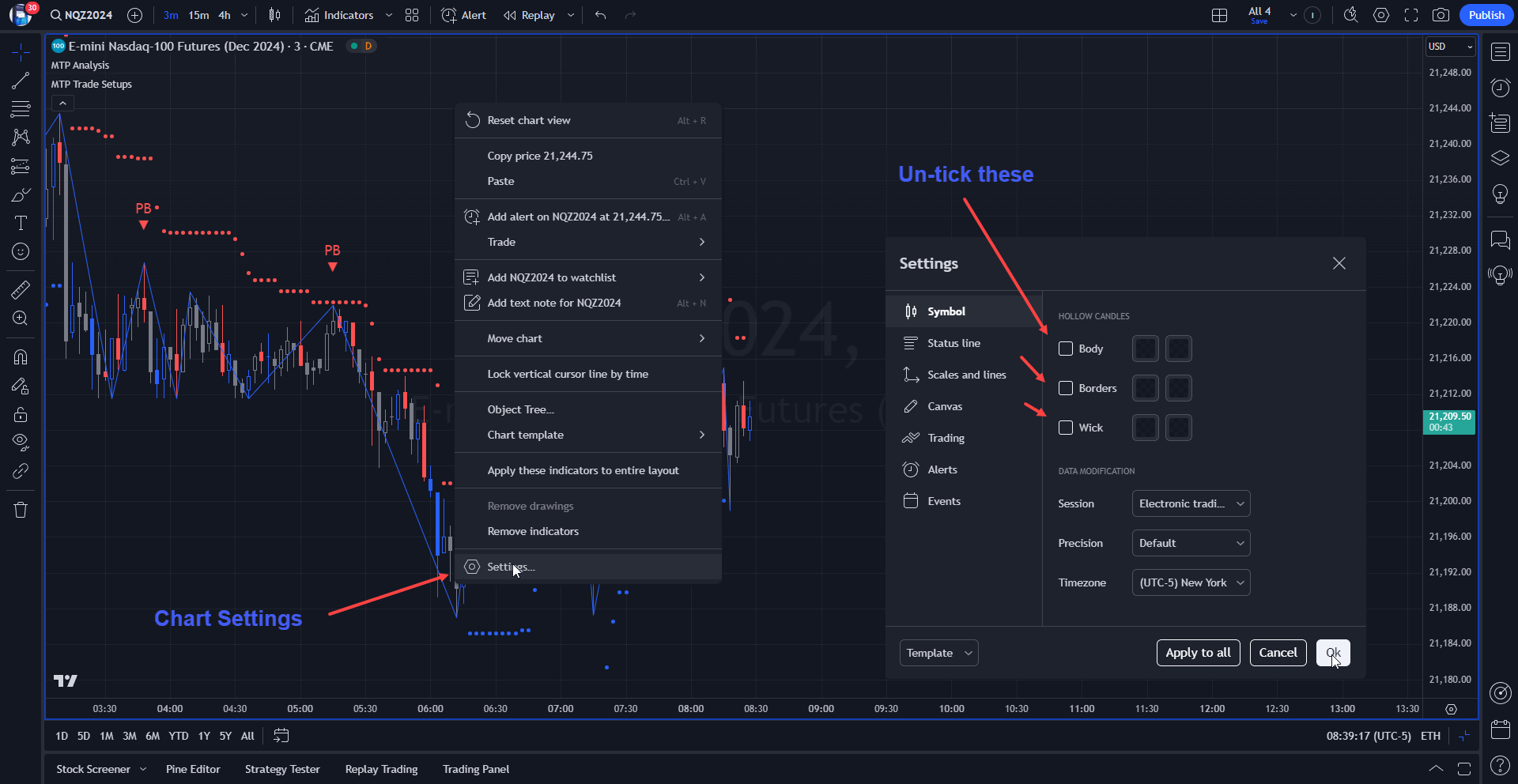
For the cleanest Chart, let our MTP Analysis Script “paint” the Chart Candles for you. To do this, first go to your Chart Settings, then “un-tick” the Bar display options. Please see the chart below.
Note
Please remember that although MTPredictor has automatic setups, we do not suggest that you just follow these blindly as if it were a black box mechanical system, judgement is needed in filtering the automatic setups, particularly with respect a clear larger degree trend. Each Trader must take responsibility for deciding on whether their own Analysis is clear and fits in with their own (personal and unique) Trading Plan.
